
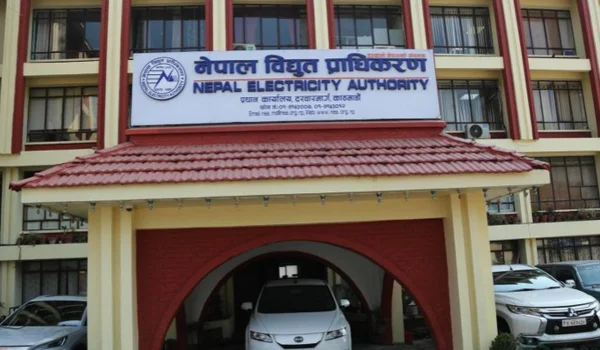
Electricity supply in Nepal is mainly managed by the Nepal Electricity Authority (NEA). The authority provides electricity services to millions of homes and businesses across the country.
Consumers can easily check and pay their electricity bill online or offline through the official website, mobile apps, internet banking, digital wallets, or by visiting authorized payment centers.
This guide explains how to check your Nepal electricity bill and pay it step-by-step in simple language.
Required Details to Pay Nepal Electricity Bill
Before paying your electricity bill, keep the following details ready:
- Customer Number / Consumer ID
- Service Number or Account Number
- Registered mobile number
- Latest electricity bill (optional)
These details are usually printed on your electricity bill issued by the Nepal Electricity Authority.
How to Check Nepal Electricity Bill Online
You can easily check your electricity bill online using the official NEA website.
Step-by-Step Process
- Visit the official website of Nepal Electricity Authority.
- Go to the Online Bill Payment / Bill Inquiry section.
- Enter your Customer Number or Account ID.
- Click Search / Submit.
- Your bill amount, due date, and previous bill details will appear on the screen.
You can also download or print the bill for records.
Online Methods to Pay Nepal Electricity Bill
Consumers can pay their electricity bill using several online payment methods.
- Pay Through the Official NEA Website
The easiest method is paying directly through the official portal.
Steps
- Visit the NEA online payment portal.
- Enter your Customer Number.
- Check your bill amount and details.
- Choose the payment method:
- Net Banking
- Debit Card
- Credit Card
- Digital Wallet
- Complete the payment.
- Download the payment receipt.
This method is safe and directly connected to the electricity authority.
- Pay Through Mobile Wallet Apps
Many people in Nepal use digital wallet apps to pay electricity bills.
Popular wallet apps include:
- eSewa
- Khalti
Steps
- Open the wallet app.
- Tap Electricity Bill Payment.
- Select Nepal Electricity Authority.
- Enter your Customer Number.
- Check the bill amount.
- Pay using wallet balance or linked bank account.
You will receive instant payment confirmation.
- Pay Using International Payment Apps
In some cases, users near the India border or NRIs may try third-party payment apps such as:
- Paytm
- PhonePe
However, these apps may not always support NEA payments directly. It is better to use NEA portal or Nepal wallet apps.
- Pay Through Net Banking or Debit/Credit Card
Consumers can also pay using internet banking.
Steps
- Visit the NEA payment portal.
- Enter your Customer Number.
- Choose Net Banking / Debit Card / Credit Card.
- Enter your bank details.
- Confirm the payment.
After payment, you can download the receipt.
Offline Methods to Pay Nepal Electricity Bill
Consumers who prefer offline payment can use these options.
- Pay at NEA Office
You can visit the nearest office of the Nepal Electricity Authority.
Steps
- Carry your electricity bill or customer number.
- Visit the billing counter.
- Pay using:
- Cash
- Debit card
- Collect the payment receipt.
- Pay at Authorized Payment Centers
NEA also allows payment through authorized banks and collection centers across Nepal.
These centers accept:
- Cash
- Bank transfer
- Debit card
Common Electricity Bill Payment Issues
Sometimes consumers may face problems while paying their electricity bill.
- Customer Number Not Working
- Check the number printed on your electricity bill.
- Enter the number correctly without spaces.
- Payment Failed but Money Deducted
- Wait 24–48 hours.
- The money is usually refunded automatically.
- Bill Not Updated After Payment
- It may take a few hours for the system to update.
- Always keep the payment receipt.
Helpful Tips for Electricity Consumers
✔ Always pay your bill before the due date to avoid late fees.
✔ Save your Customer Number in your phone for quick payments.
✔ Use digital wallet apps for faster payment.
✔ Always download the payment receipt.
✔ Check your electricity bill every month to track usage.
Conclusion
Paying your Nepal electricity bill is now simple and convenient. Consumers can pay using the official NEA website, mobile wallet apps, net banking, debit/credit cards, or offline at electricity offices and authorized centers.
Online payment methods help you save time, avoid long queues, and pay bills from home. Always keep your Customer Number ready and check your bill regularly for a smooth payment experience.