
If you’re switching brokers, managing multiple accounts, or simply reorganising your investments, you’ll eventually face this question:
“How do I transfer shares from one Demat account to another?”
The good news? It’s absolutely possible—and once you understand the process, it’s quite straightforward.
Whether you’re moving shares from Zerodha to Groww or from Angel One to another broker, this guide will walk you through everything in simple, practical Indian English.
🧠 What Does “Transfer Shares” Mean?
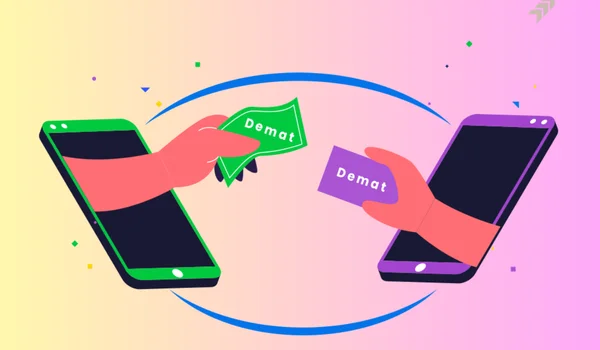
Transferring shares means moving your stocks from one Demat account to another without selling them.
👉 Important:
- Your ownership stays the same
- No market risk (because you’re not selling)
- No capital gains tax (in most cases)
🏦 Who Handles Your Shares?
In India, Demat accounts are maintained by depositories:
- CDSL
- NSDL
👉 Your broker is just a platform. The real records are stored with these depositories.
🔄 Types of Share Transfers
Understanding this is very important 👇
- Off-Market Transfer
- Between two Demat accounts
- No stock exchange involved
- Most common method
- On-Market Transfer
- Happens through stock exchange
- Rare for individuals
- Inter-Depository Transfer
- Between NSDL ↔ CDSL
- Slightly more steps
📄 Methods to Transfer Shares
There are 2 main ways:
✔ Offline Method (DIS Slip)
✔ Online Method (Easiest via CDSL)
Let’s break both 👇
🚀 Method 1: Online Transfer (Easiest Way)
This is the fastest and most recommended method.
👉 Available mainly if your account is with CDSL
🔹 Step-by-Step (Using CDSL Easiest)
Step 1: Register on CDSL Easiest
- Visit CDSL website
- Register using:
- BO ID (Demat number)
- PAN
Step 2: Add Trusted Account
- Add target Demat account
- Enter:
- DP ID
- Client ID
👉 Approval may take 24 hours
Step 3: Submit Transfer Request
- Select shares
- Enter quantity
- Confirm transaction
Step 4: Verification
- OTP or PIN confirmation
Step 5: Shares Transferred
- Usually completed in 1–2 working days
📌 Online Transfer Summary
| Step | Action |
| 1 | Register on CDSL Easiest |
| 2 | Add target account |
| 3 | Enter share details |
| 4 | Confirm transfer |
| 5 | Shares credited |
🧾 Method 2: Offline Transfer (DIS Slip)
If online is not available, use this method.
🔹 Step-by-Step (Offline)
Step 1: Get DIS Slip
- Provided by your broker
Step 2: Fill Details
- ISIN (stock code)
- Quantity
- Target DP ID & Client ID
Step 3: Choose Transfer Type
- Off-market
- Inter-depository (if needed)
Step 4: Sign Properly
👉 Signature must match records
Step 5: Submit to Broker
- Courier or visit office
Step 6: Processing
- Takes 3–7 working days
📊 Online vs Offline Transfer
| Feature | Online (CDSL Easiest) | Offline (DIS Slip) |
| Speed | Fast (1–2 days) | Slower (3–7 days) |
| Convenience | Very easy | Manual effort |
| Paperwork | Minimal | Required |
| Errors | Less | More chances |
| Recommended | ✅ Yes | Backup option |
💸 Charges for Share Transfer
| Type | Charges |
| Online Transfer | ₹0–₹25 per ISIN |
| Offline Transfer | ₹25–₹150 per ISIN |
| Broker Charges | Varies |
| GST | Applicable |
👉 Some brokers offer free transfers during account migration offers.
⚠️ Important Rules You Must Know
✔ Same PAN Requirement
- Both accounts must have same PAN (for self-transfer)
✔ Correct ISIN Code
- Wrong ISIN = failed transaction
✔ Account Status
- Both accounts must be active
✔ Freeze/Lock Status
- Shares should not be pledged or locked
❌ Common Mistakes to Avoid
❌ Entering Wrong DP ID
→ Shares may go to wrong account
❌ Signature Mismatch (Offline)
→ Rejection
❌ Not Using Correct Transfer Type
→ Delay or failure
❌ Ignoring Charges
→ Unexpected fees
🧠 Example
Let’s say:
👉 You want to move shares from Zerodha → Groww
Steps:
- Open Groww account
- Use CDSL Easiest
- Add Groww as target
- Transfer shares
👉 Done in 1–2 days without selling anything.
🔄 Why Do People Transfer Shares?
- Switching to better broker
- Lower brokerage charges
- Better app experience
- Consolidating accounts
💡 Pro Tips (Very Useful)
- Always do a small test transfer first
- Double-check DP ID
- Keep screenshot of confirmation
- Prefer online method
📌 When Should You Transfer Instead of Sell?
✔ Long-term investors
✔ Avoid capital gains tax
✔ Market volatility
👉 Selling and re-buying can cause loss + tax.
🧠 Final Thoughts
Transferring shares between Demat accounts in India has become much easier in 2026, especially with online systems like CDSL Easiest.
👉 The smartest approach:
- Use online transfer whenever possible
- Double-check details
- Avoid unnecessary selling
Whether you’re a beginner or an active trader, this process helps you manage your investments efficiently without losing money.
FAQs
- Is share transfer free in India?
Sometimes yes (online), but usually ₹25–₹150 per ISIN.
- How long does it take to transfer shares?
1–2 days (online), 3–7 days (offline).
- Can I transfer shares to another person?
Yes, but it’s treated as a gift or off-market transfer.
- Do I need to sell shares before transferring?
No, transfer happens directly.
- Is PAN required for transfer?
Yes, PAN must match for self-transfer.
🚀 Final Advice
If you’re planning to switch brokers, don’t sell your shares unnecessarily.
👉 Just transfer them:
✔ Save taxes
✔ Avoid market risk
✔ Keep your investments intact